
To that extent, I've been having problems getting the drilldown reports to work the way I want them to. The problem is that the ID associated with the level is displaying, not the value.
I'm using the Time Dimension:
Total --> Year --> Quarter --> Month
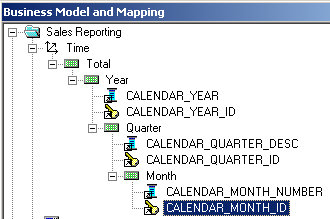
After initially creating it, I create an Answers report with one column, CALENDAR_YEAR.
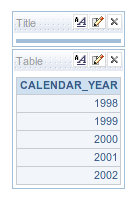
Might be hard to notice, but the year is hyperlinked, I should be able to click it and drill down to the quarter right?
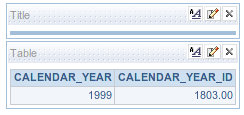
That's not what I want. I don't want to see the ID associated with it. That's meaningless to the user. You might be thinking, "What an idiot, why did he make the ID available in the presentation layer?"
I just thought of that too...removed it, and I received an error.
Anyway, the same thing (%_ID columns showing up instead of their description).
Click on Year (again) and I get the Quarters...well, the ID anyway.
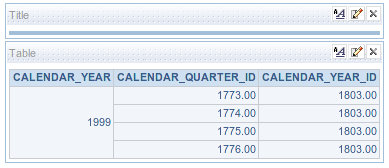
Click on the quarter (ID) and I get the month ID.
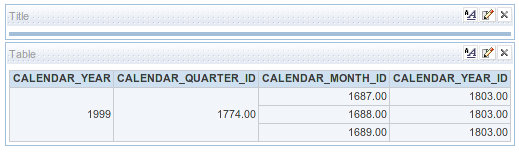
So how do I fix this?
First, go back to the Admin tool, find the dimension and double click on Month to bring up the properties page
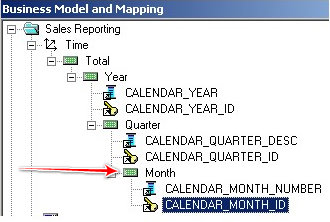
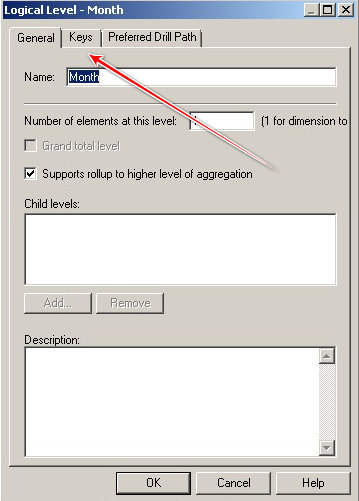
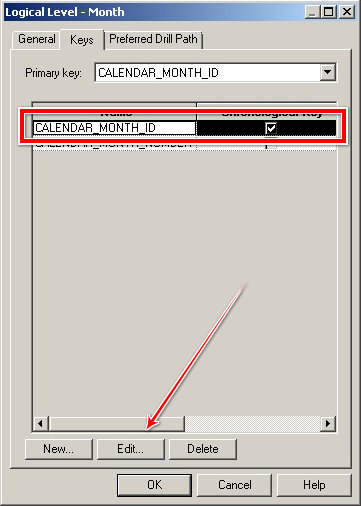
Select the Keys tab
You should see CALENDAR_MONTH_ID with the Chronological Key box checked. Select New
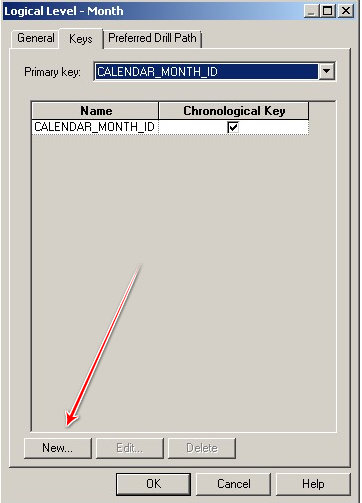
Now check CALENDAR_MONTH_NUMBER and make sure that Drilldown is checked.

That should take you back to the Keys screen. Now either double-click CALENDAR_MONTH_ID or select it and click Edit down at the bottom
Now uncheck the Use for Drilldown box
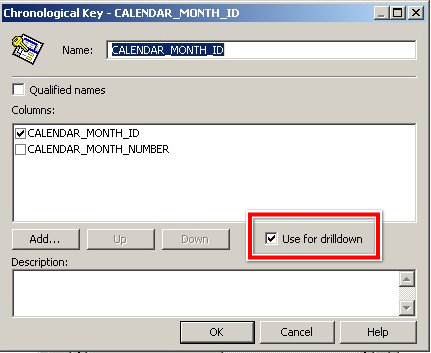
Rinse and repeat for each of your dimension levels; Quarter and Year.
Go back to your report, remove the filters and remove everything but CALENDAR_YEAR, run the report, drill down and you should see this:
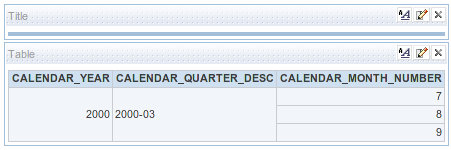
Voila!
You can use whatever columns you want to display. You don't have to use the Month Number, you could use March instead.


3 comments:
Hi
I am new to OBIEE,I have one problem with the drilldown,in time dimention I have year,quarter,month,day levels are there,In reporting if i click on year it is going to quarter,I want it has to go month how is it possible
Hi
I have another doubt month is in order April,August,December----- in alphabetical order, i want to be display it in january,february,march----- how is it possible in answers
hi @gopal,
for the first one, go to "Preferred Drill Path" for the Year level and select Month. That will skip over quarter for you.
For #2, go into the BMM and find the text description of month. Open up the properties dialog and go to the General tab. You should see "Sort Order" with a box greyed out. Click the button next to it and select the numerical representation of month (1, 2...5, etc).
Post a Comment