
How to connect?
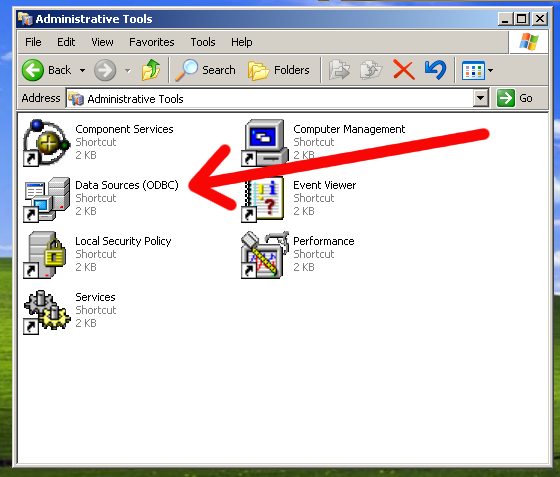
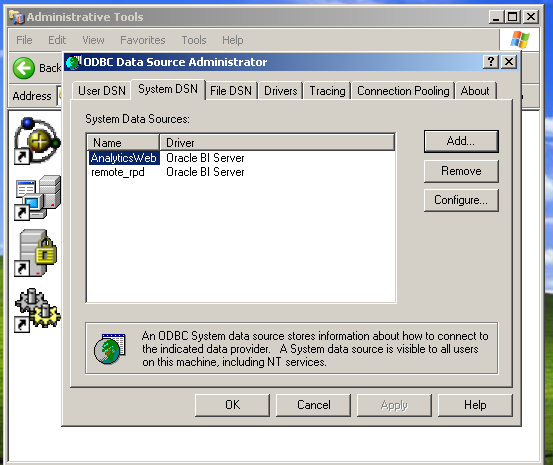
First create a new ODBC Data Source, you can find that in Control Panel --> Administrative Tools
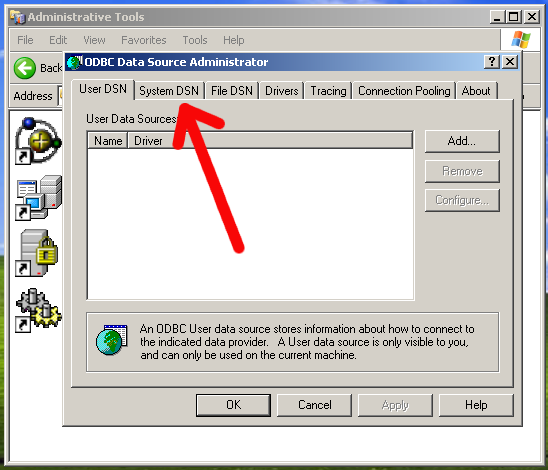
Choose the System DSN tab
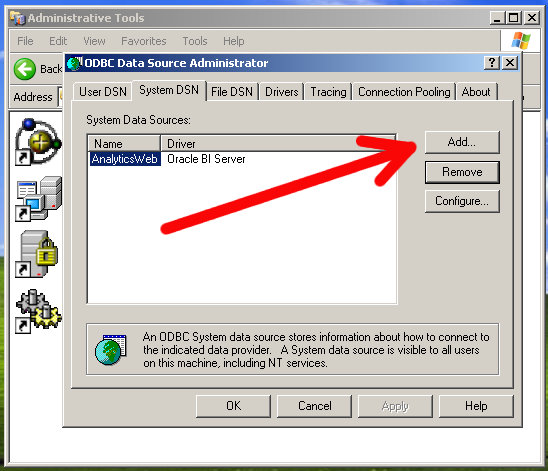
Click on Add
Then select the BI Server driver
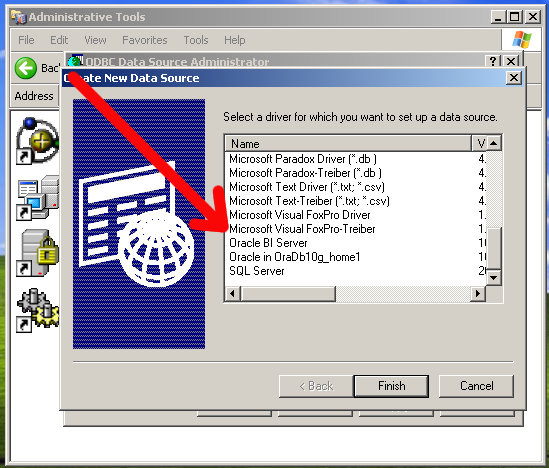
You'll be prompted with this:
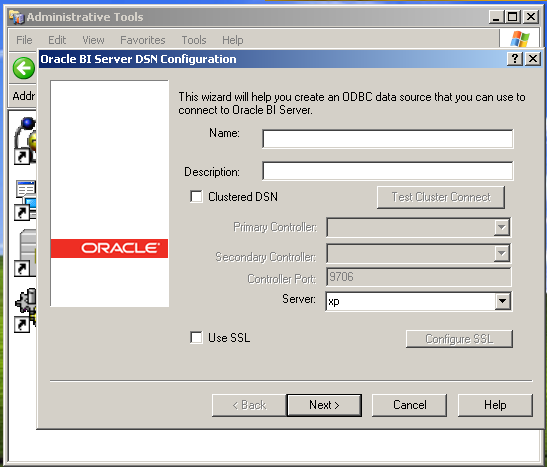
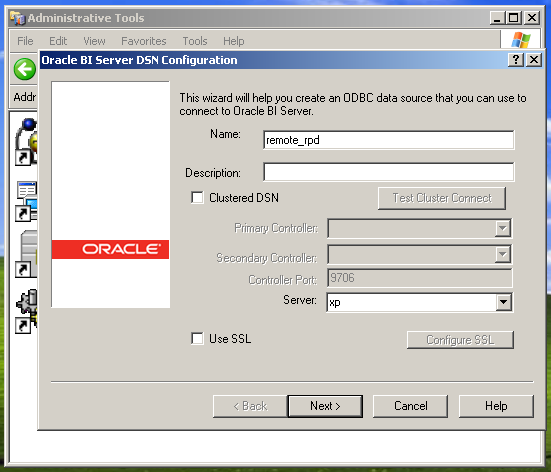
For name enter "remote_rpd", for server, select the location of your other server, in my case, it's XP
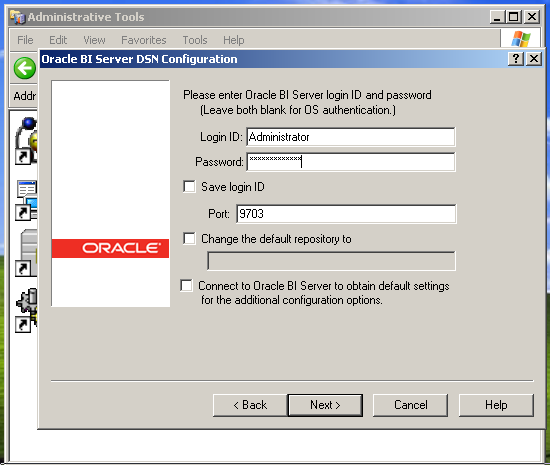
Enter the username and password to the remote RPD (if you haven't changed anything, it's Administrator/Administrator)
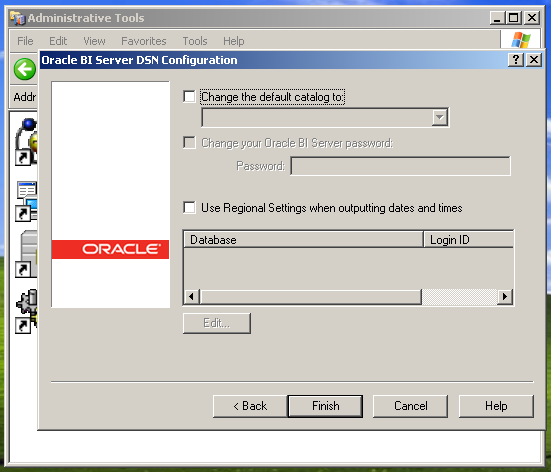
Go ahead and accept the defaults
You should now see "remote_rpd" in your list of data sources
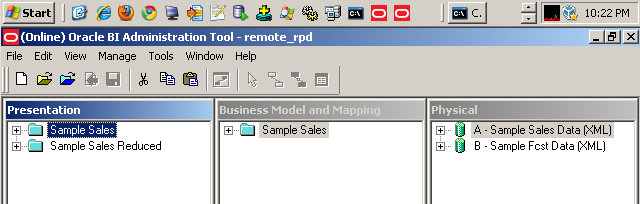
Finally, open up your BI Administration tool and you should see "remote_rpd" in your list
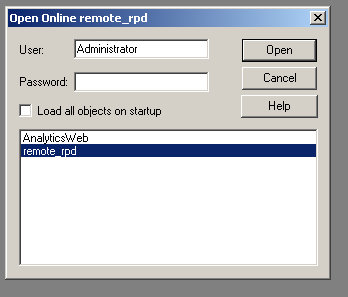
Enter the password and voila! You are in.


5 comments:
Good post :)... I remember when I started at my new company as an Oracle DBA, I was told, besides Oracle, you are the OBIEE admin... I was thinking huh? So I set it up, and this is where I hit a snag. I finally figured it out and was able to connect to clear things like cache. I go to OBIEE training next week (woot!).
It's good to learn new stuff. Besides that I am the Informatica, OC4J, Tomcat, WebSphere, Weblogic, Oracle App Server admin. Talk about lots of junk.
jack of all trades
admittedly, it's kind of fun knowing a bit about everything and it doesn't hurt the career much either.
once you complete the dataguard post...you can do another one on OBIEE. :)
Good day, sun shines!
There have were times of hardship when I felt unhappy missing knowledge about opportunities of getting high yields on investments. I was a dump and downright stupid person.
I have never thought that there weren't any need in large starting capital.
Nowadays, I feel good, I started take up real income.
It's all about how to select a correct companion who utilizes your funds in a right way - that is incorporate it in real business, and shares the income with me.
You may get interested, if there are such firms? I have to answer the truth, YES, there are. Please be informed of one of them:
http://theinvestblog.com [url=http://theinvestblog.com]Online Investment Blog[/url]
intersting post. I just tried to repeat these steps, but I struggle at the point where you select your server "xp". I have only "local" available. Any idea how I can edit this menu and define a server host name?
Gracias, Merci, DANKE, Thanks
Post a Comment