
The first result you should get back is one from a fellow Tampan (Tampon?), Lewis Cunningham, from July 2006. OK, it's a bit old (I think it was still called Raptor back then), but I'll give it a try.
In it, Lewis talks about creating additional "pseudo" columns, SDEV_LINK_NAME, SDEV_LINK_OWNER, SDEV_LINK_OBJECT which appear to map to the corresponding columns in DBA_OBJECTS.
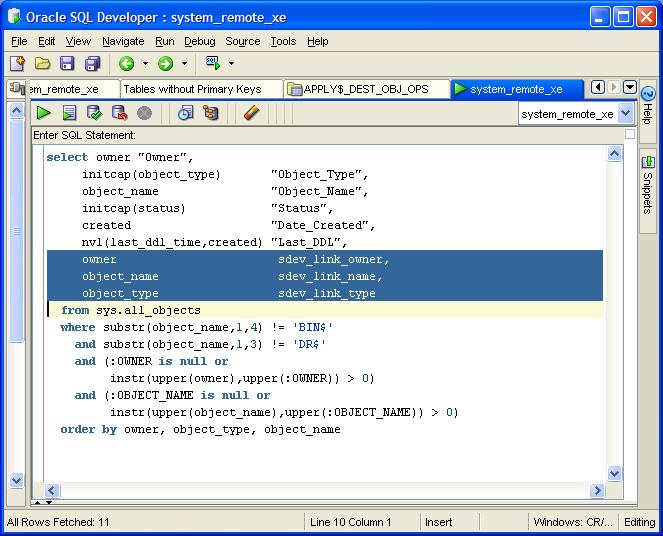
I tried that, and got...nothing. I tried changing the alias(es) to match the column I was using, again, to no avail.
Let me back up just a tad, I'm trying to create some reports based on the PLSQL_PROFILER_% tables:
* PLSQL_PROFILER_RUNS
* PLSQL_PROFILER_UNITS
* PLSQL_PROFILER_DATA
It's annoying to have to rewrite the SQL everytime. I did create a @profile script, but I had to pass the RUNID; so first, I had to know the RUNID.
So I took to Twitter as I know Kris Rice hangs out there sometimes.



That was last week, and I have been unable to get this to work. I could have sworn Kris had a good tutorial on it, but I think I confused it with the extensions you can create.
Anyway, I'm at it again tonight and I end up back at the link Kris originally pointed me to. For some reason (cough) I missed this crucial little nugget this first time
(the bind variable is case-sensitive)Really? Could it be that easy? I UPPERed RUNID and voila! It worked!
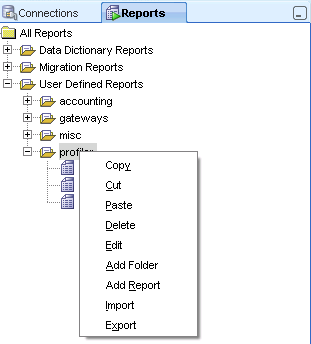
To recap, go to the Reports tab, right click on a folder (I have one named "profiler") and select Add Report.
I fill out the Name, Description and Tooltip (optional)
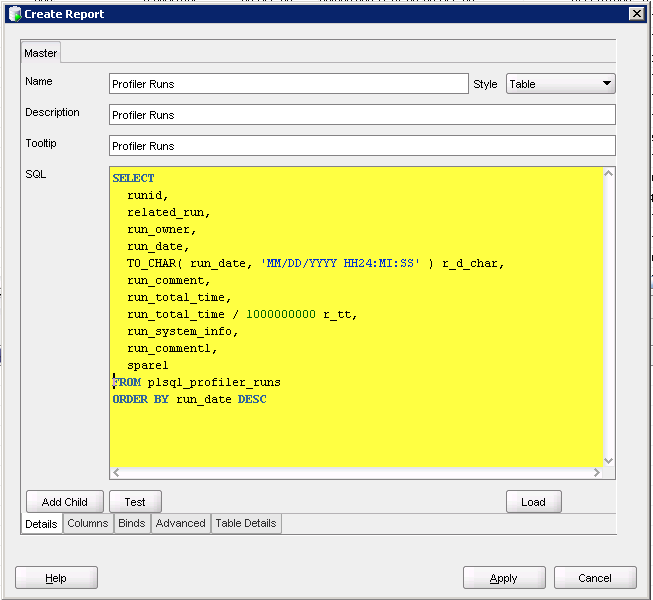
Hit Apply which saves my report. Now I want a report that on PLSQL_PROFILER_UNITS that accepts the RUNID as an IN parameter.
First, create the report:
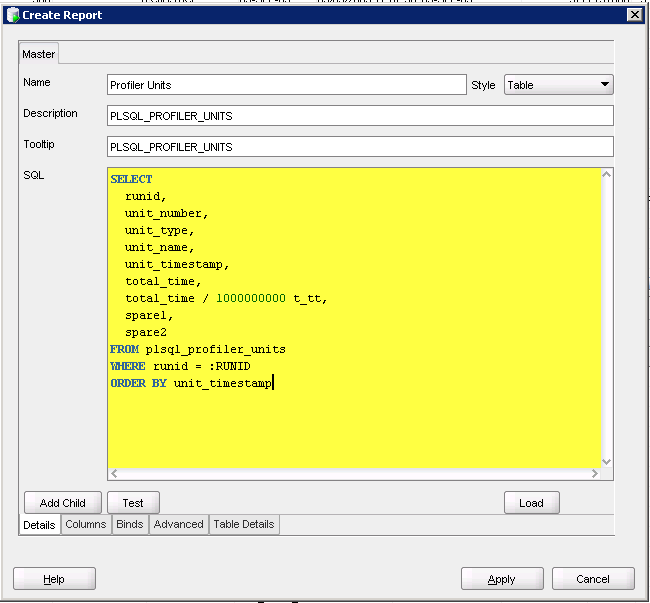
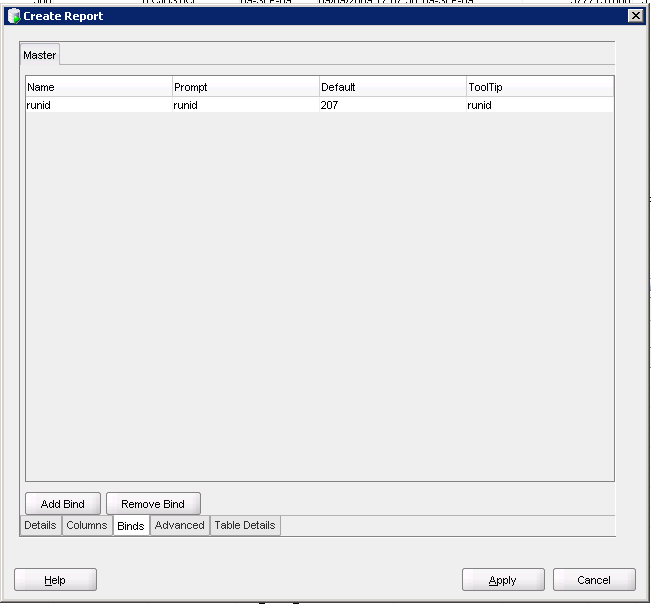
Go to the Binds tab and fill in the fields
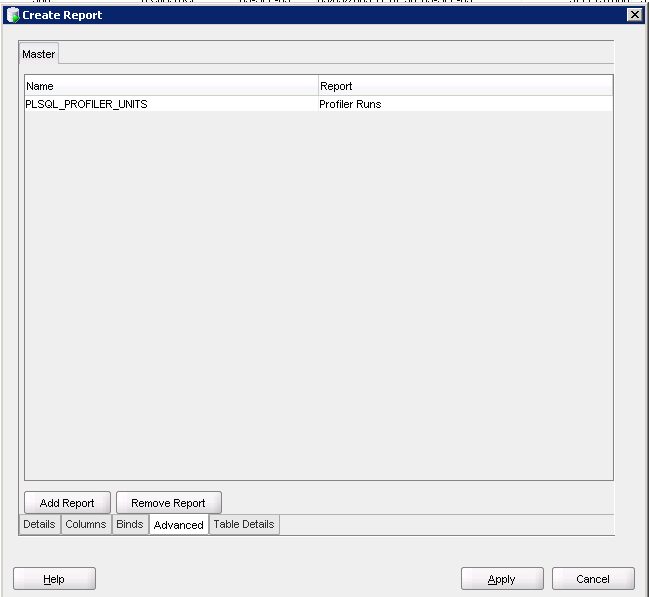
Go to the Advanced tab and fill in the name of the report
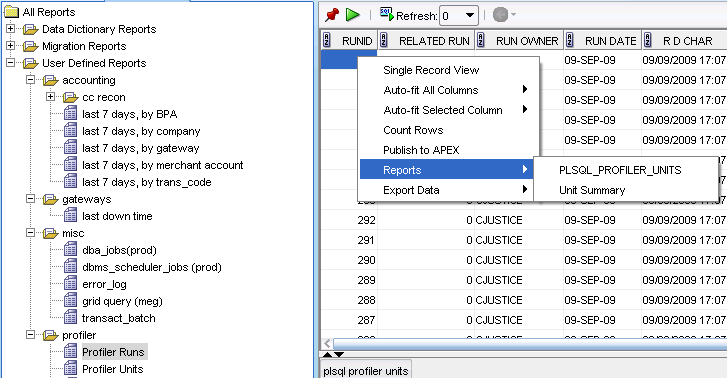
Now, select your first report, right click, go to Reports and select the report you just created
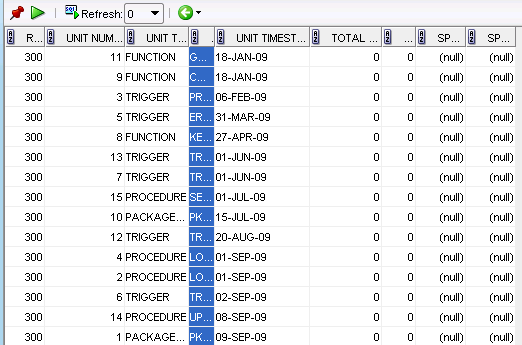
Perfect!
Just a small reminder, the bind parameters are CASE SENSITIVE!


5 comments:
Not sure if it qualifies as a "Drill Down Report",... but I created some reports on PLSQL_PROFILER data some years ago
You know SQL Developer has built-in profiler functionality (right click on package/procedure>profile) hooking into DBMS_HPROF and reporting the results?
alex,
thanks for the link, i'll check them out. maybe i can "convert" them into sql dev reports.
chet
dom
no. thanks for telling me though.
that's what i get for not reading the entire manual.
at least i learned 2 new things though:
1. how to create a drill down report
2. i can profile anything more easily with sql dev
Excellent instrunctions. Thanks. In the newer versions of SQL Developer the Advanced Tab is now call Drill Down.
Post a Comment