
After many months and many attempts, I have managed to install a database on a non-windows platform. I think I deserve a little credit. ;)
In January, I began installing Ubuntu Intrepid Ibex on all of my home computers. What this meant for me is that I was often without one because I screwed something up. I even got so far as to install Oracle XE on Ubuntu which took 2 blog posts.
Just before COLLABORATE 09, I installed Jaunty Jackalope on my laptop. Then I got the crazy idea to install Oracle on Ubuntu. I ended up having to wipe the hard drive and start fresh. I have no doubt that it (Oracle) can be installed on Ubuntu, it just takes someone much more experienced than I.
Armed with a fresh install, I was going the virtual route. Inspired, I believe, by this comment (Aman Sharma).
1. Install
2. Download the latest version of Oracle Enterprise Linux (v5)
I think that's the point I realized my first installation of Jaunty was hosed, and by hosed I mean unrecoverable by me. I couldn't see the 2nd partition, the one with all the room.
3. Create OEL virtual machine
4. Follow this guide to get it ready to install the Oracle database (seriously? Why does OEL not come ready for the database server?)
 |
4a. There's no mention of opening up the firewall in that article. It's probably obvious to most...
5. Connect to Oracle from the host machine
6. ApEx? Which version am I running? 3.0? That won't do. Download ApEx 3.2
7. Install ApEx
8. Configure Embedded PL/SQL Gateway for port 80
8a. Ports below 1024 are reserved for privileged processes...Configure Embedded PL/SQL Gateway for port 8080
9. Connect from host machine.
 |
9a. Login to ApEx.
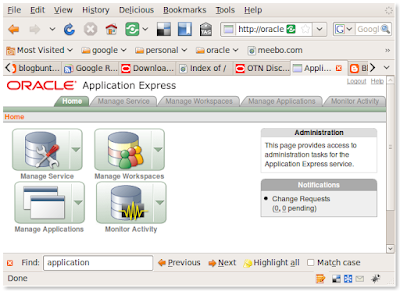 |
10. WIN!


6 comments:
Great Chet,
Now, you "really" got the oracle installed ;-). And I have to be a little bit disagree with the "ready-to-install" oracle distro part that you mentioned. I guess, its better like this otherwise, instalaation on linux too would be boring like over windows :).
Have fun!
regards
Aman....
PS: Please change my blog urlthat you have posted. I don't write over that one. I write over here, http://blog.aristadba.com
Excellence!
Virtual Box is great... I use it on my ubuntu too ;)
About APEX, that's a good... it's not difficult to setup, but it's so hard with me... when i need to test (example: create applications). Perhaps I've no idea to test about that.
;)
@aman
Sorry about that. I picked that up from your profile...I thought it looked different. Updated now.
Hey, I gotta complain about something right? Overall I think it was pretty easy to do. It was just overwhelming initially.
I know I learned a lot, wait, I experienced a lot. ;)
chet
@surachart
I love me some apex. Never had it so easy in creating apps. The funny part is that hardly anyone (around Tampa anyway) uses it. I keep plugging away though.
chet
Chet,
No issues, I had an idea that you piked it up from the profile only. I created that blog for writing about oracle than happened to have my website and got the blog set up there.
Hey, I gotta complain about something right?
Yes sir, you sure can do :) .
Overall I think it was pretty easy to do. It was just overwhelming initially.
Haha when I did it for the first time, I said the same, heck it was easy ;-) . But still, the feeling is great IMHO. One actually feels that he has done some thing before doing the click-click thingy.
regards
Aman....
@aman
I agree. I felt like I did accomplish something.
It's funny though, because I'm perfectly comfortable using SQL*Plus (~7 years now), but I always shied (sp?) away from *nix. I'd try once a year or so, but never got it.
Next up, the Cloud!
Post a Comment