
Getting back into the Application Express (ApEx) world again.
Trying to refresh my rusty memory on some key aspects. I figured I'd start with Administrative Services, in other words, controlling/configuring your ApEx installation.
Login
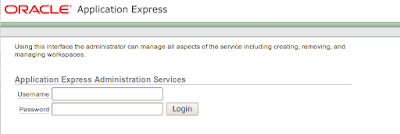
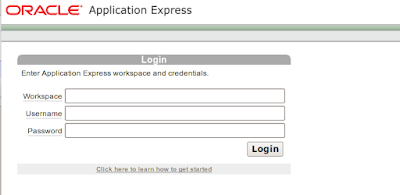
I found this confusing when I first started using ApEx. There are 2 login screens, one for the Administrative Services and one for Workspace Administration.
Administrative Services is in the (URL) form of:
http://<domain>:<port>/apex/apex_admin
For me it looks like this:
http://192.168.1.199:8080/apex/apex_admin
Which quickly resolves to:
http://192.168.1.199:8080/apex/f?p=4550:10
A helpful picture:
For Workspace Administration, the URL looks like this:
http://<domain>:<port>/apex/apex
For me it looks like this:
http://192.168.1.199:8080/apex/apex
Which quickly resolves to:
http://192.168.1.199:8080/apex/f?p=4550:1
A helpful picture:
Services
After you login, you are presented with the following screen:

Your choices are:
- Manage Service
- Manage Workspace
- Manage Applications
- Monitor Activity


4 comments:
Hi Chet,
Just to point out, you can login to the Administration Interface using the regular login page by using the Workspace name "INTERNAL" (and using your admin username and password).
Infact I can't remember the last time I used the standard admin login page, I always just use the 'regular' one.
John.
Mr. Scott,
Yes, you are absolutely right. Thank you for that little reminder. :)
My problem is remembering the ADMIN password. If I set up a workspace it generally starts with two or three guesses at the password before getting frustrated. Then I dig out the apex install zip file and extract the SQL for resetting the password which I can run as SYSDBA.
I log in with the reset password, which then demands a new password with a mix of upper and lower case, numbers and punctuation [which is why I never remember the darn thing]. So I re-login with the new password.
Then I set up the workspace with its own ADMIN account, and log into that. Which also requires another password change.
I've finally given in and turned off the requirement for complex passwords.
@gary
That's hilarious...that's exactly what happened to me last night trying to get this thing together. I couldn't remember the freaking password!
Went in to my OEL vm, found the apex folder, but it didn't have the apxchpwd.sql file...because that was the default installation. I had to find the version that I deployed from.
Changed the password to "testing," logged in, and had to change it to something complex. Took 3 times before I got it right!
I might jus thave to turn it off myself. All my sandbox passwords are "testing" so I'll, theoretically, never forget.
Post a Comment